
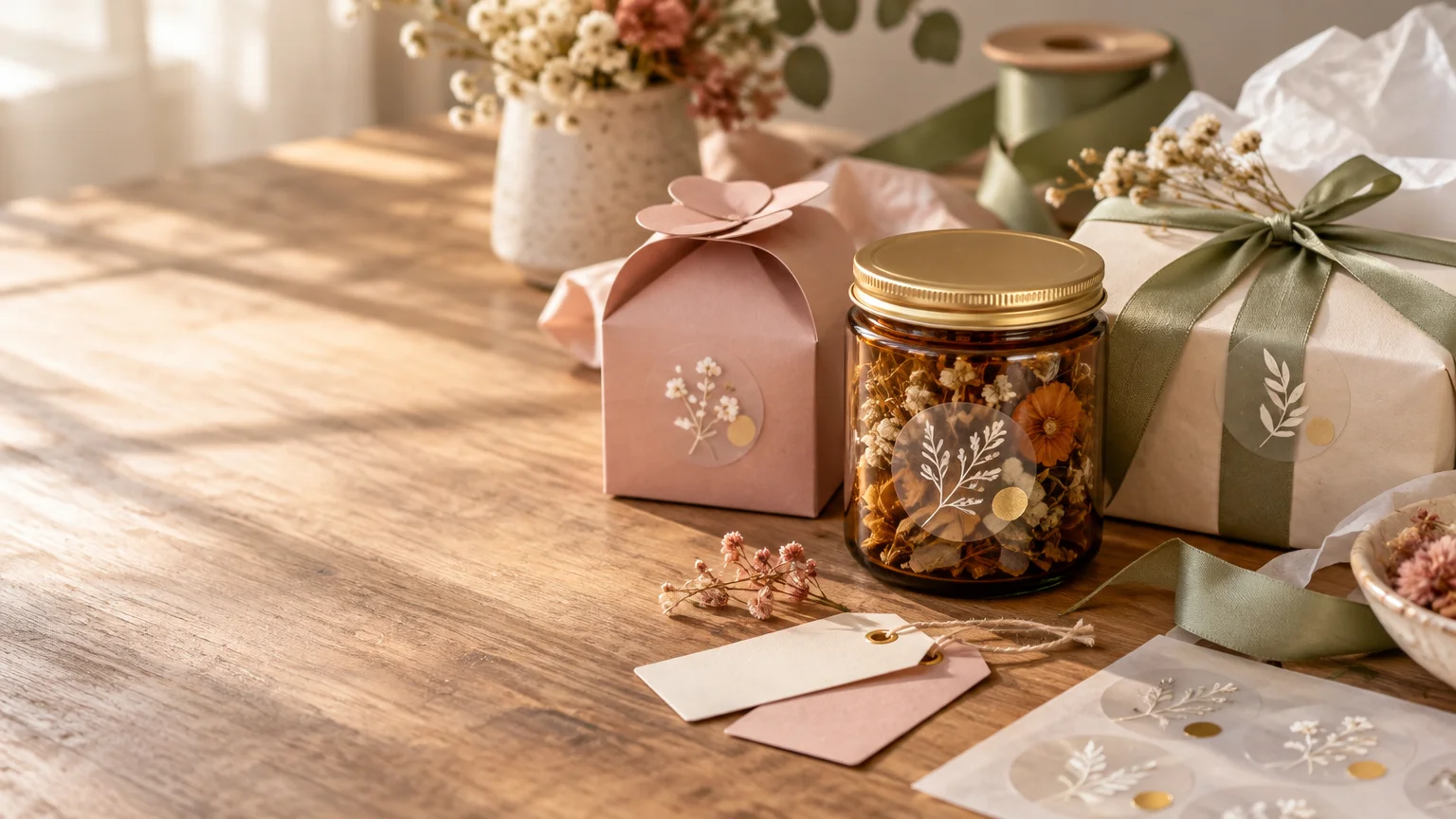
Custom clear stickers work best when the surface beneath them is part of the design. Instead of covering a jar, bottle, box, or favor container with an opaque label, transparent film lets the material and color show through. The result can look polished and surprisingly personal—as long as you plan for that transparency rather than treating it like ordinary white sticker stock.
For a gift project, begin with the recipient or occasion, not the sticker shape. A tiny handwritten phrase, an important date, a simplified portrait, or a motif borrowed from the wrapping paper will usually feel more intentional than a generic “made with love” label. The clear material supplies the visual magic; the personal detail gives it meaning.
Choose a surface that helps the design
Unprinted areas of a clear sticker remain transparent, allowing the application surface to become part of the finished appearance. This is what creates the familiar no-label or printed-on effect described in Avery’s clear-label overview.
That effect is especially attractive on glass jars, candle vessels, clear favor boxes, acrylic keepsakes, smooth bottles, and pale solid-color packaging. A transparent label can identify homemade bath salts without concealing the layers inside, place a couple’s initials on a wedding favor jar, or add a child’s drawing to a reusable bottle.
Dark, highly patterned, or strongly textured surfaces require more caution. Because the background remains visible, it can compete with fine lettering and delicate colors. Before ordering, place a paper printout over the item and imagine every white or blank area disappearing. If the artwork becomes confusing without its white background, it needs stronger contrast or a white-ink treatment.
Understand what happens to white and pale colors
Transparency changes color more than many first-time buyers expect. CustomStickers states that white areas in standard clear-sticker artwork are transparent by default, while printed white ink requires a custom quote. It also warns that colors on clear stock can appear lighter than they do on white vinyl.
This makes bold colors, uncomplicated shapes, and heavier lettering safer choices. Deep navy, saturated red, rich green, and black tend to retain more presence than pale yellow, blush, or light gray. The actual surface also influences the result: the same pink flower may look airy on a clear jar, muted on kraft packaging, and nearly invisible on a pink box.
Ask the printer whether white ink is available if you need an opaque logo, crisp white lettering, or consistent colors across different package backgrounds. White ink can sit behind selected artwork as an underbase, but the exact setup and ordering process depend on the printer.
Match the finish to the feeling of the gift
| Finish | Visual effect | Good fit for |
|---|---|---|
| Gloss clear | Sleek, bright, and closest to a printed-on appearance | Glass jars, bottles, glossy favor boxes, colorful graphics |
| Matte clear | Softer and slightly frosted | Candles, understated packaging, muted wedding or shower favors |
| Clear with white ink | Greater opacity in selected areas | White lettering, logos, pale artwork, dark containers |
Avery’s clear-material comparison describes matte clear as slightly frosted and gloss clear as sleek or printed-on in appearance. CustomStickers lists UV-resistant gloss as its standard clear finish and says matte may be available by request. If the distinction matters to your project, confirm the available finish before approving the order.
Size the sticker on the actual gift
Do not choose dimensions from the computer screen alone. Print the artwork at 100 percent scale, cut it out, and place it on the intended object. This simple mock-up can reveal that a round label crowds a jar lid, a bottle curves too sharply for a wide design, or a package seal needs additional length to bridge a flap.
As a practical starting point, designs around one to two inches can suit simple marks, small packaging seals, and compact labels. More detailed artwork generally benefits from additional space. CustomStickers’ sizing guidance places detailed art in the three-to-four-inch range, although the object itself should always determine the final dimensions.
Remember that a listed size may refer to the artwork’s longest dimension rather than both its width and height. A three-inch selection for a narrow rectangular design might produce a sticker three inches wide but considerably shorter. Check the proof for both finished dimensions instead of relying on the size name alone.
Build the artwork for clear material
A printer-ready file should make it obvious which areas will print and which will remain transparent. Use a clean outline, readable lettering, and enough space between important artwork and the cut edge. Avoid hairline details that may disappear when reduced.
- Prepare the artwork at its final physical size rather than enlarging a tiny file during ordering.
- Use a high-resolution original. CustomStickers recommends 300 ppi at final size and accepts formats including PDF.
- Keep names, dates, faces, and other essential details safely inside the cutline.
- Decide whether you want a visible border, full-bleed color, or transparent space around the design.
- Inspect the proof for dimensions, spelling, transparency, edge placement, and any requested white ink.
CustomStickers says it adds a small border by default. Its artwork guidance calls for a 0.05-inch safety margin between the art and cutline for bordered designs; for full bleed, the cutline is positioned about 0.03 inch inside the artwork. Those are provider-specific production requirements, so use the template and proof supplied for your particular order.
If you want to compare custom stickers, labels, vinyl materials, and artwork-preparation options, customstickers.com is a useful place to begin.
Turn one clear sticker into a personal detail
Suppose you are giving small jars of homemade cocoa mix at a winter gathering. A generic label might name the mix and stop there. A more personal clear sticker could combine the family’s handwritten recipe title, a tiny line drawing of the recipient’s favorite mug, and the year. Applied to the front of the jar, the artwork appears to float over the cocoa layers.
Carry one small element onto the rest of the presentation. Repeat the mug illustration on the gift tag, use the same ink color on a note, or add a coordinating keepsake sticker inside the package. The goal is not to cover everything in labels. It is to create one recognizable visual thread. For a broader coordinated presentation, the process in this matching gift, card, and sticker set guide can help you extend the motif without making the package feel busy.
Check the proof against the real object
Before approving production, hold the gift item beside the proof and review it as a physical object, not just an image. Confirm the finished width and height, imagine the background showing through, and check whether the container’s curve or seam interferes with important text. Verify every name and date one last time.
If you are developing several related designs, consider whether they belong on individual die-cut stickers or a sheet of multiple kiss-cut designs. Individual stickers are easy to distribute as favors, while a coordinated sheet can become a small gift of its own. The planning approach in this guide to making custom sticker packs is useful when several personal motifs need to feel like one collection.
Frequently Asked Questions
What are custom clear stickers best used for?
They work especially well on jars, bottles, clear favor boxes, acrylic keepsakes, candle vessels, and pale packaging where the surface can become part of the design.
What happens to white areas in clear-sticker artwork?
Standard white areas are typically left transparent. If you need visible white lettering or opaque white artwork, ask whether the printer offers white ink.
Do colors look different on clear stickers?
Yes. Colors can appear lighter on clear stock than on white vinyl, and the package color will influence the finished look. Bold, saturated colors and strong contrast are safer choices.
When should I request white ink?
Consider white ink for crisp white lettering, pale artwork, opaque logos, or designs that must remain consistent across different background colors. Availability and setup vary by printer.
Should I choose gloss or matte clear stickers?
Choose gloss for a sleek, bright, printed-on appearance. Matte clear has a softer, slightly frosted look that suits understated candles, favors, and muted packaging.
How do I choose the right sticker size?
Print the artwork at 100 percent scale, cut it out, and place it on the gift. This reveals crowding, awkward curves, seams, and proportions before you order.
What resolution should clear-sticker artwork use?
CustomStickers recommends 300 ppi at the final physical size. Start with a high-resolution original rather than enlarging a small file during ordering.
What should I check on the proof?
Confirm the finished width and height, spelling, transparency, cutline placement, border or bleed treatment, and any requested white ink. Compare the proof with the real gift before approving it.
Are individual stickers or sticker sheets better for a gift project?
Individual die-cut stickers are convenient for distributing favors. A sheet of multiple kiss-cut designs works well when several coordinated motifs should feel like one small collection or gift.